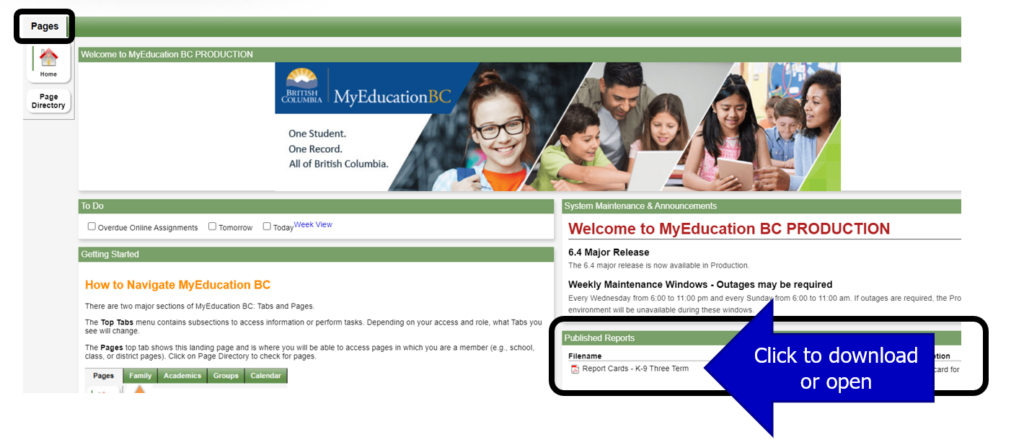
Learning Updates (report cards) are now available for viewing, downloading, and/or printing on the Family Portal. Please visit https://myeducation.gov.bc.ca/aspen/logon.do. There have been reports of technical issues when viewing Learning Updates on mobile devices, we encourage families to view and download their student’s reports on computers.
Term 2 Learning Updates will be available until April 3, 2026. They will come down for a system update and be republished on April 8th for viewing/downloading until June 12, 2026.
Support and Instructions
For assistance using the Family Portal, please download and review the Family Portal Instructions for Parents PDF. (https://blogs.sd41.bc.ca/myedbc/parent-resources/)
If you have forgotten your password, or if you have mistyped your password 5 times and your account is locked, the system can help you reset your password.
- Click the blue “I forgot my password” link on the log-on screen.
- Enter your Login ID and email address
- Enter the answer to your security question. If you answer it correctly, a new temporary password will be sent to your email account.
- Retrieve the temporary password from your email account and use it to log on to the Family Portal.
- You will then be asked to create a new password.